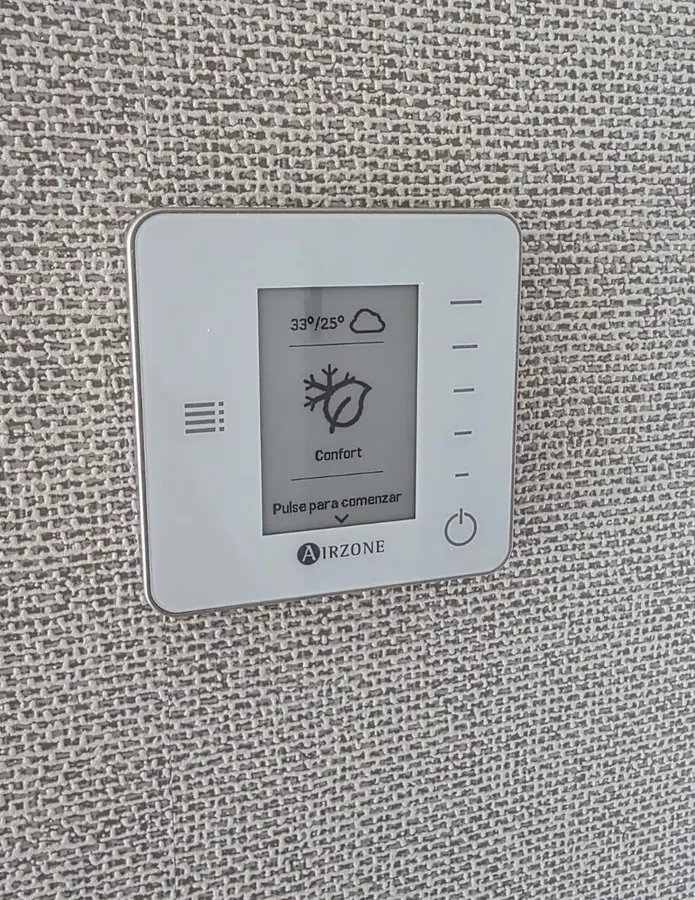
Outdoor forecast
The values at the top show the forecast outdoor temperature. The first is for daytime and the second for nighttime.

Apartment guide
Every room has its own wall panel and is controlled independently. You only change the comfort in the room you are in.
Change the temperature↓The screen during normal operation
The main screen shows the current climate status at a glance. You do not need to wake it to see whether the system is actively cooling or simply maintaining the temperature.
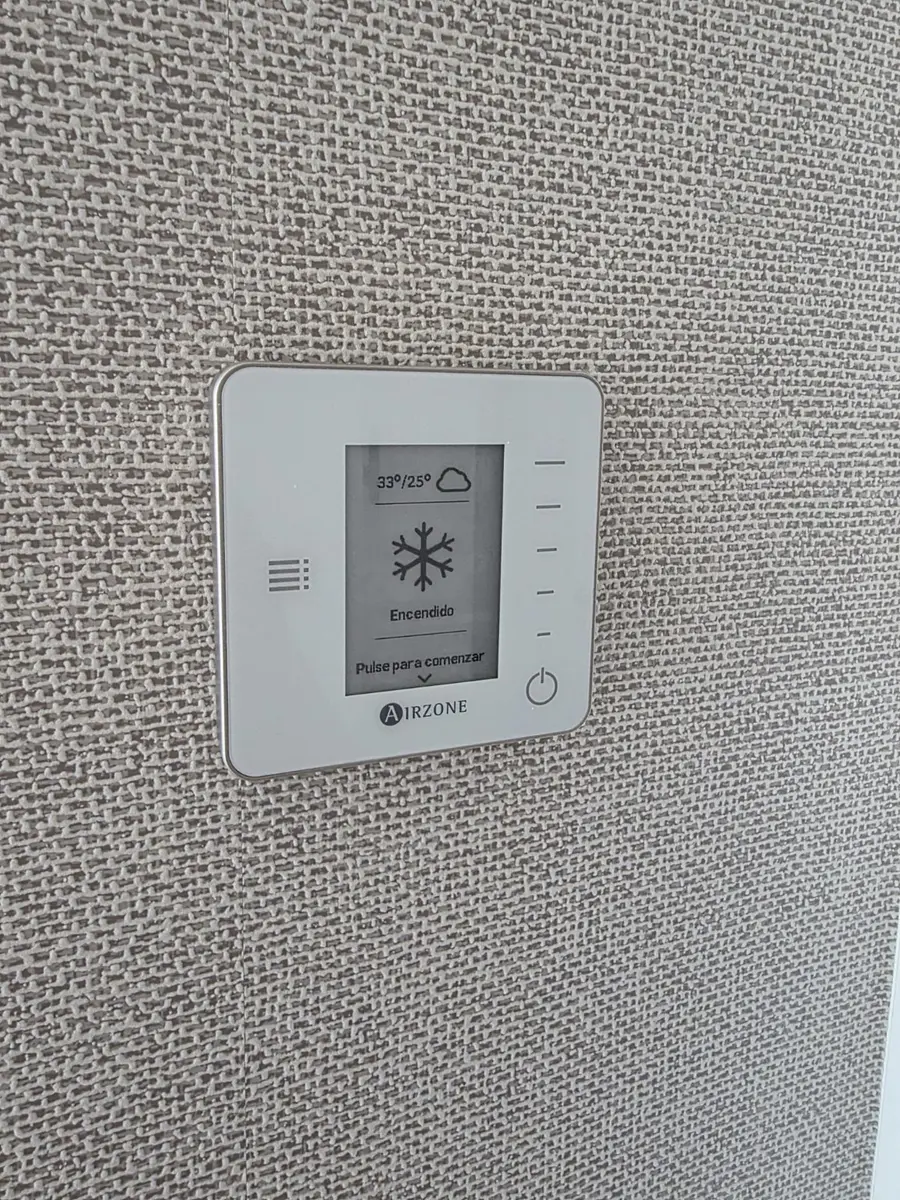
The snowflake means that the system is actively cooling the room.
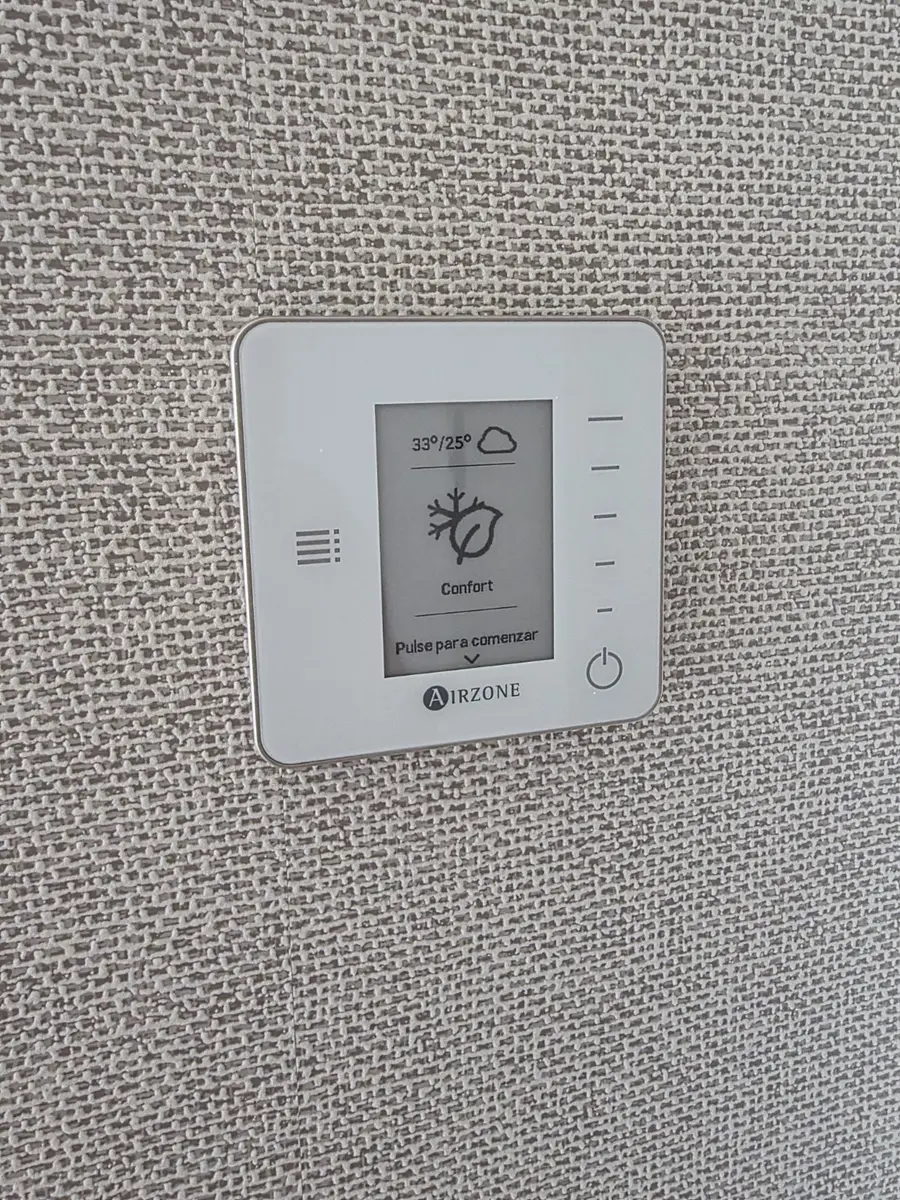
Comfort means that the chosen temperature has been reached and the system is maintaining it.
The values at the top show the forecast outdoor temperature. The first is for daytime and the second for nighttime.
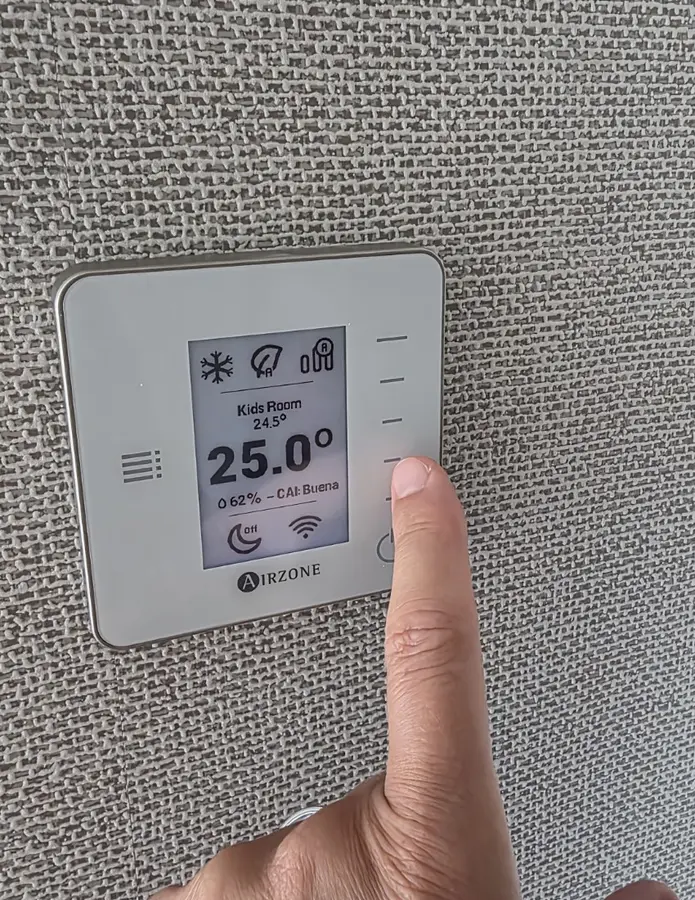
Tap the Airzone logo to wake the panel. The screen will light up.
Automatic mode
The system chooses cooling or heating automatically. Do not change the operating mode - simply set the temperature you want in the room.
Choose the temperature and let Airzone handle the rest.Panel controls
Wake the screen first, then choose warmer, cooler or switch the room off completely.
Press the AIRZONE logo below the screen. The panel will wake and light up. Wait 2 seconds for the current temperature to appear.
2 s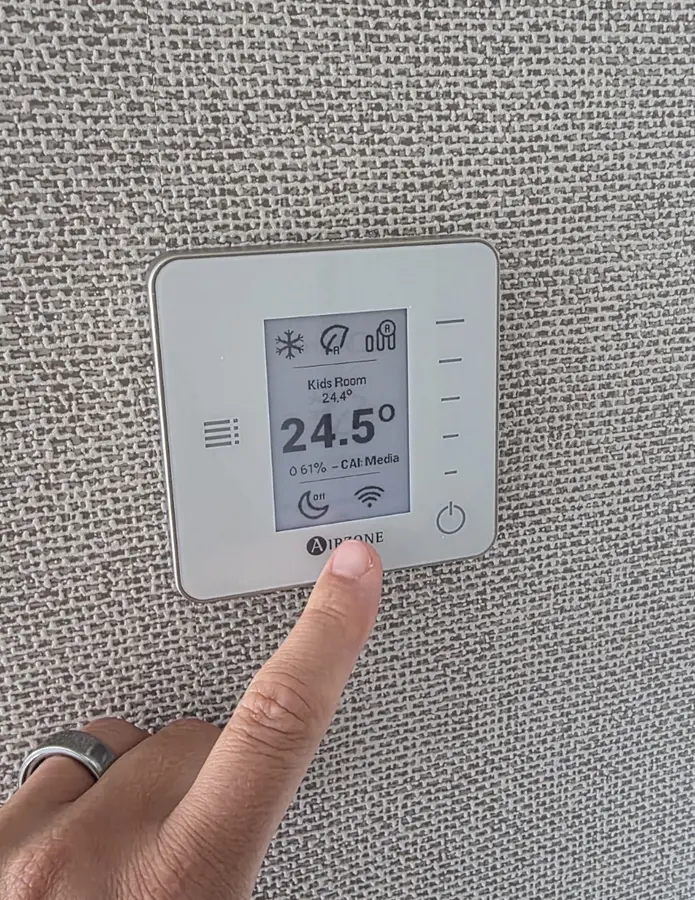
Tap the upper part of the vertical bar on the right. Each tap raises the temperature. Wait 2 seconds after every tap.
2 s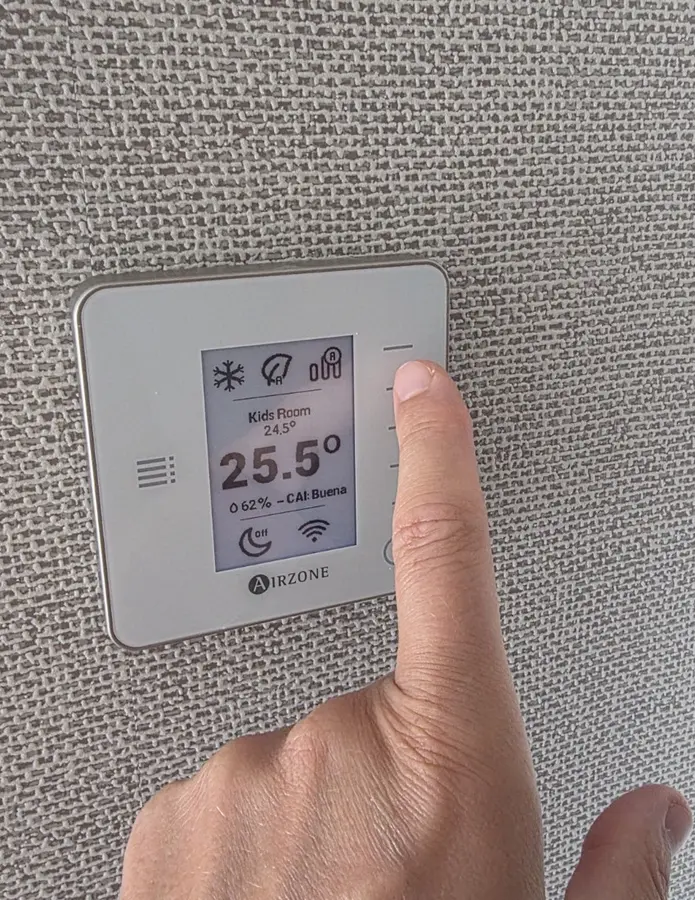
Tap the lower part of the same right-hand bar. The set temperature will decrease. Give the panel another 2 seconds to respond.
2 s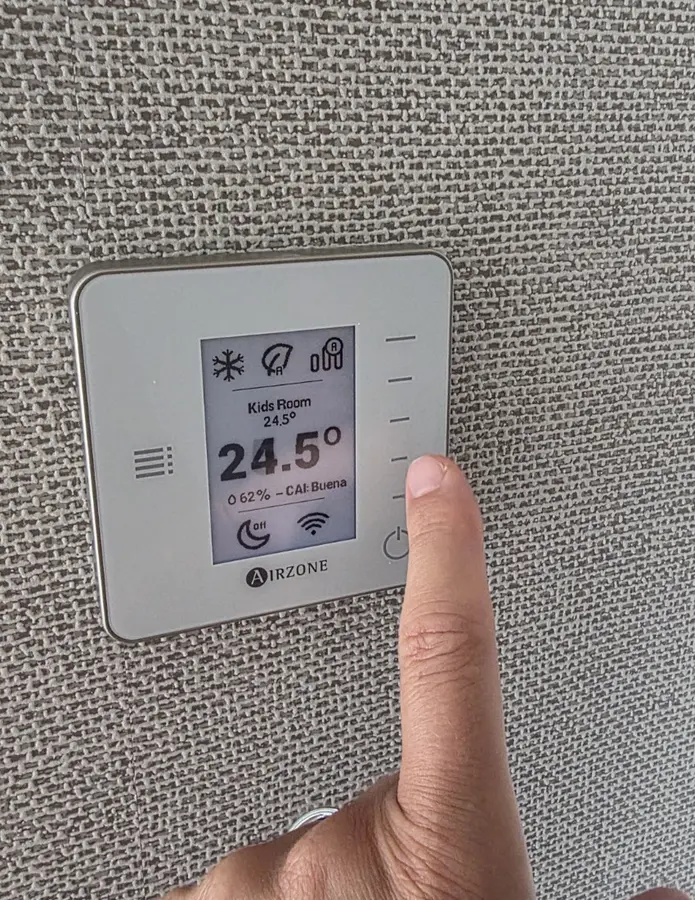
Tap the power symbol at the bottom right. When “Off” appears, climate control is off in this room. Use the same button to switch it on again.
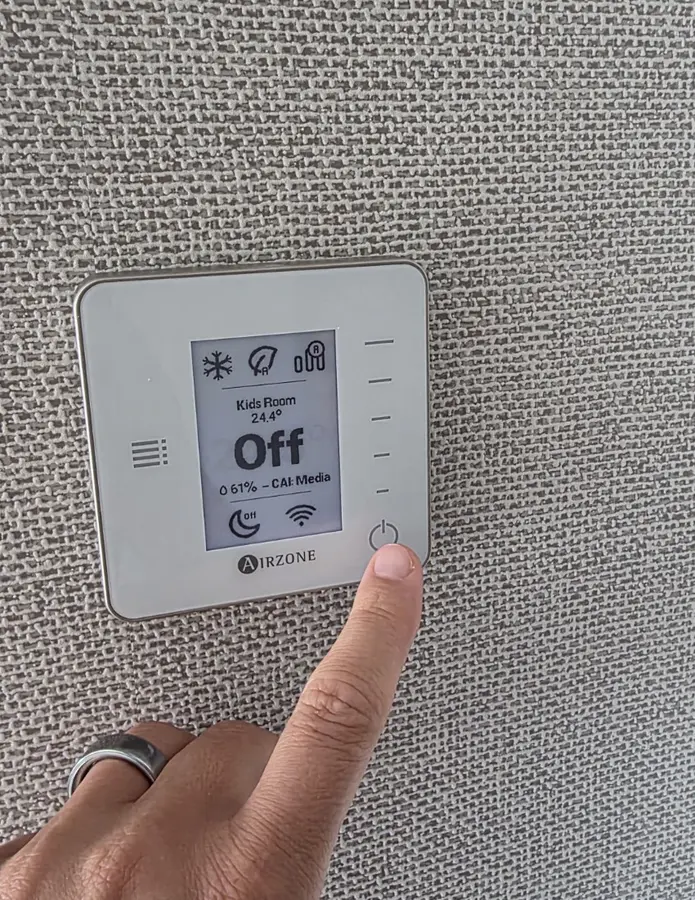
Changing one panel does not alter the settings in the other rooms.
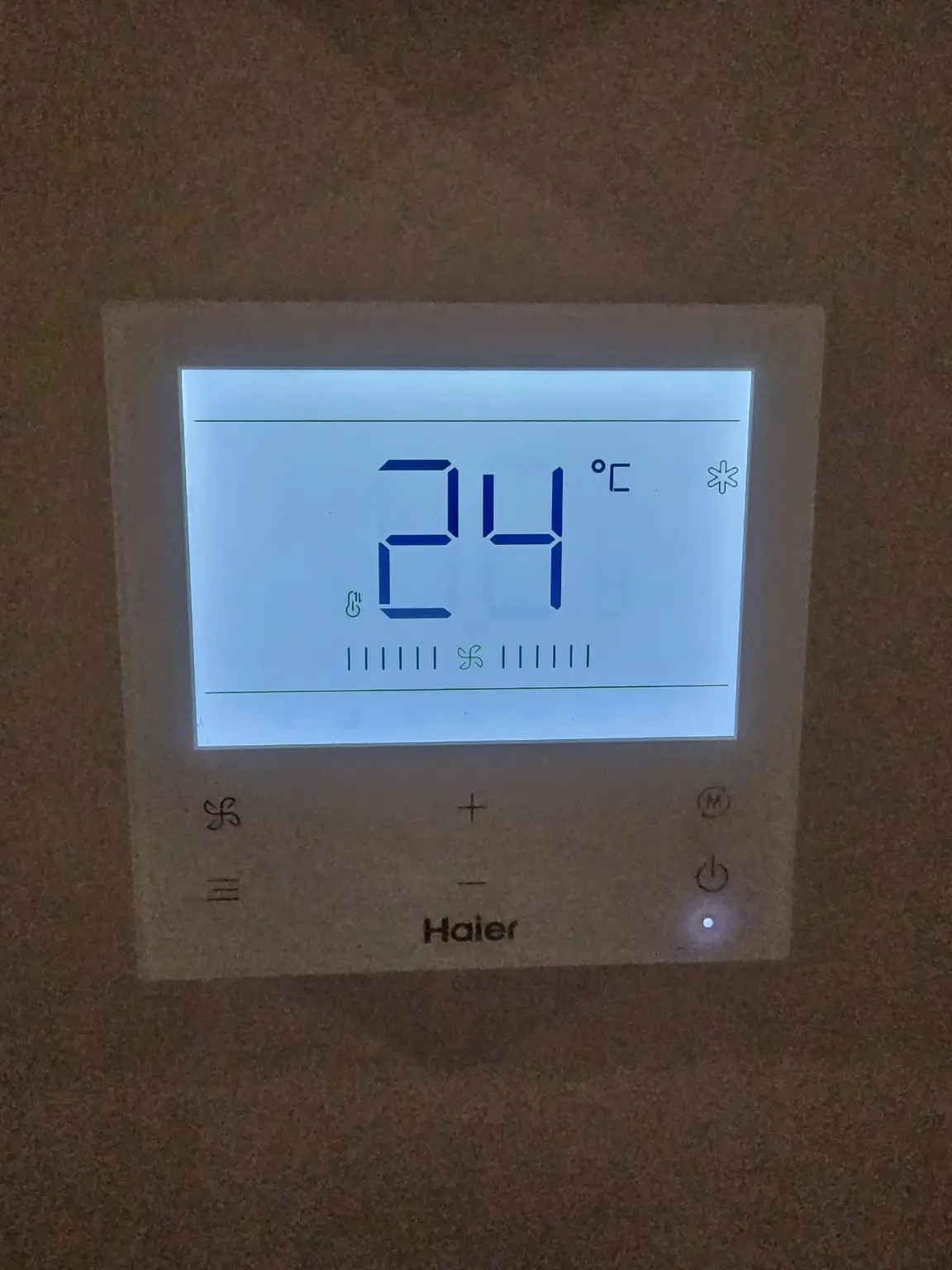 DO NOT TOUCH
Important · controller in the living room
The central Haier unit controller is in the living room. Do not change its temperature, operating mode or any other setting, as this may stop the room panels from working.